BibleProject
4.7853.00Reviews
Analysis ByAppCompare
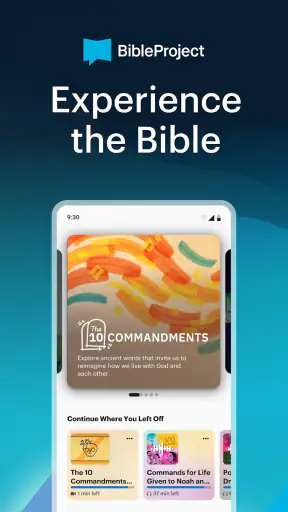
I spent time with BibleProject as a study companion rather than treating it like a simple digital Bible. That distinction matters. The app, created by BibleProject, is built around helping me understand how the books of the Bible fit together, why their themes matter, and how visual teaching can make difficult passages easier to approach. It is a free education app for Everyone, and its appeal is strongest when I want context instead of another page of isolated verses.
My first impression was that it feels more like a guided learning library than a traditional reading tool. The focus is not only on opening a chapter and reading from beginning to end. Instead, the experience encourages me to step back, look at the shape of a book, and notice recurring ideas. That makes it useful for someone beginning to explore the Bible, but also for a regular reader who has become familiar with individual passages without always seeing the larger story.
The best reason to try BibleProject is that it turns study into a visual and structured activity. I can use it when I have a few quiet minutes, return to a topic later, or prepare for a longer reading session. It does not replace a full Bible app, a printed study Bible, or a thoughtful discussion group in every situation. What it does well is provide an accessible bridge between “I want to read this” and “I want to understand what I am reading.”
How the learning experience works in everyday use
A useful starting point for difficult books
When I open a book of the Bible that feels unfamiliar, the hardest part is often not reading the words. It is knowing what I should pay attention to. BibleProject helps by presenting each book as part of a wider design. That framing can make a long or complicated text feel less intimidating because I am not approaching it as a disconnected stack of chapters.
I found this especially helpful before beginning a reading plan. Rather than immediately committing to a large amount of reading, I can first spend time understanding the book’s direction and major themes. That small preparation changes the way I read afterward. I notice transitions more readily, recognize repeated images, and have a better sense of why a section belongs where it does.
This is also where the app differs from the usual alternatives. A standard Bible reader is excellent when I already know the passage I want. A search-focused app is faster when I need to locate a verse. BibleProject is more valuable when I am asking a broader question: what is this book trying to do, and how should I approach it?
Visual explanations are the main advantage
The visual teaching style gives the app its personality. Instead of relying only on paragraphs of commentary, it uses presentation and structure to make relationships easier to grasp. For me, that is useful when a theme stretches across several chapters or when a book contains unfamiliar names, settings, and ideas.
There is a practical benefit here. I can remember a visual explanation more easily than a dense block of notes, particularly when I am studying after work and my attention is limited. The app makes it easier to begin with the big picture and then return to the text with a question in mind. That is a better workflow for me than reading commentary at random and hoping the important point sticks.
Still, visual clarity should not be confused with complete interpretation. The app can help me see patterns, but it is not a substitute for comparing translations, examining historical background, or discussing difficult passages with a knowledgeable person. I see it as a strong first layer of study, not the final word on every theological question.
Where it fits on a phone
On mobile, the app makes the most sense in short sessions. I might open it during a commute, before bed, or while waiting for an appointment. Those moments are ideal for watching or reviewing a focused explanation, then saving the larger reading task for a time when I can concentrate.
The phone format also creates a trade-off. A small screen is convenient, but it is not always the best place to study a complicated visual sequence or compare several passages. If I want to take notes, keep a printed Bible open, and follow a longer explanation at the same time, a tablet or computer would be more comfortable. BibleProject works well as a portable entry point, but serious study may still benefit from a larger workspace.
One workflow I recommend is to use the app before reading, not only after becoming confused. I can spend a few minutes getting oriented, read the relevant section, and then return to the visual material to test what I noticed. That turns passive viewing into a simple three-step study habit: preview, read, and review.
Connectivity changes the rhythm
Because the experience centers on rich educational material, connectivity can shape how smoothly I use it. A stable connection makes it easier to move from one part of the app to another and begin a lesson when I decide to study. When the network is weak, the most frustrating moment is not necessarily reading a passage; it is waiting for the next piece of content to become available.
This means I would not make the app my only preparation for a trip, retreat, or place where service is unreliable. I prefer to open the material while I have a dependable connection and avoid assuming that every part of the experience will be available at the exact moment I need it. That is a sensible habit for any media-rich learning app, and it prevents a poor signal from interrupting a planned study session.
I also noticed that connectivity affects spontaneity. With a reliable network, BibleProject invites exploration: I can follow an unexpected topic, move from one book to another, and let curiosity guide me. With an unstable network, I become more selective and stick to the material I already intended to use. The app remains useful, but the experience becomes less flexible.
What happens when a session is interrupted
Mobile interruptions are normal. A call, a low-signal area, or simply closing the app can break the flow of a lesson. My advice is to treat each session as a small unit rather than expecting to complete everything in one sitting. That approach works better with a phone and makes it easier to resume without feeling that the entire study period was wasted.
If content does not load as expected, I would first check the connection, reopen the app, and return to the same material rather than repeatedly tapping through screens. I also prefer to keep a simple note of the book or topic I was studying. That may sound basic, but it prevents an interrupted session from turning into a search exercise the next time I have a few minutes.
The app is strongest when I give it a clear role. If I need a quick verse during a conversation, a conventional Bible app may be faster. If I want to understand the structure and themes behind that verse, BibleProject is the better follow-up. Knowing which task I am asking it to perform reduces frustration.
Using it without wasting mobile data
For data-conscious users, the safest approach is to use the app deliberately rather than opening lessons repeatedly on a mobile connection. I would begin study sessions on Wi-Fi when possible, avoid jumping between unrelated topics without a plan, and keep the reading itself separate from exploratory browsing. That keeps the app focused on learning instead of turning it into background media consumption.
Another useful habit is to decide what I want from a session before opening it. For example, I might choose one book overview, one thematic question, or preparation for a particular reading. This has two advantages: it reduces unnecessary loading and makes the time more productive. The app rewards intentional use more than endless scrolling.
I would also avoid assuming that a visual lesson is equivalent to a written note. If I am studying somewhere with limited connectivity, I can use the app when the connection is available, then write down the central idea in my own words. That creates a lightweight personal reference and means I am not dependent on reopening the same material every time I want to remember it.
Who will get the most from it
BibleProject is a good match for curious beginners, people returning to Bible reading, and readers who learn better through visual explanation. It is also helpful for small-group preparation. I can use a book overview to identify questions before a discussion, then arrive with something more specific than “I did not understand this section.”
Parents and teachers may find the approachable presentation useful when introducing a book or theme, although I would still adapt the material to the age and background of the people involved. The Everyone content rating makes the app broadly accessible, but accessibility does not mean every explanation will be equally suitable for every learner or theological tradition.
Regular Bible readers can benefit too, especially when they feel stuck in familiar habits. I sometimes read the same kinds of passages repeatedly because they are comfortable. A structured overview can push me toward books I might otherwise avoid and give me a reason to read them with fresh attention.
Who should choose another tool first
I would not choose BibleProject as my only app if my priority is fast verse lookup, extensive cross-referencing, detailed original-language tools, or a highly customizable reading system. Those needs are better served by a dedicated Bible study platform. Likewise, someone who wants uninterrupted access in places with poor connectivity should plan carefully and use a tool whose offline behavior is explicitly suited to that situation.
It may also feel too guided for readers who prefer to encounter a passage without an interpretive frame. The app presents a way of seeing the material, and that can be helpful, but some readers may want to form their initial impressions independently before consulting an overview. In that case, I would read the passage first and use BibleProject afterward as a comparison rather than a starting point.
Performance, access, and long-term value
BibleProject was released on December 30, 2021, and the current version is 2.25.0. It is available at no cost, which makes experimentation easy: I can try its approach without first committing to a subscription or purchase. The app requires iOS or Android 10 or later, so compatibility is worth checking before installing it on an older device.
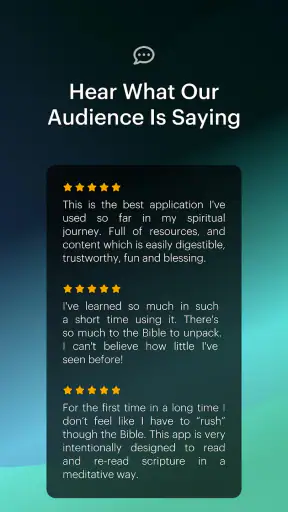
Its public reception also suggests that it has reached a substantial audience, with over one million installs and a 4.7 average from around 4.9 thousand ratings. I do not treat popularity as proof that an app will suit me, but those figures make sense after using it. The concept is clear, the educational purpose is focused, and the visual approach gives it a recognizable advantage over plain text readers.
The more important question is whether I will return to it. For me, the answer depends on using it as part of a routine rather than expecting it to replace every other resource. A short orientation before reading, a topic review during a study week, or a group discussion starter gives the app a lasting role. Opening it without a purpose can make the experience feel less focused.
My connectivity verdict
Connectivity is not a minor detail here because the app’s most distinctive value comes from its educational presentation. A dependable connection makes exploration smooth and encourages me to follow related material. A weak connection makes the experience more stop-and-start, so I would prepare important sessions in a place where the network is reliable and keep a backup reading plan for travel or outages.
Even with that limitation, I think BibleProject earns a place beside—not necessarily instead of—a conventional Bible app. The conventional option handles quick access and reference work better. BibleProject handles orientation, visual learning, and thematic discovery better. Together, they support different stages of the same study process.
My final recommendation is straightforward: try BibleProject if you want to understand the shape and meaning of biblical books rather than only locate individual verses. Give it a specific job, use a reliable connection for media-rich sessions, and follow visual explanations with your own reading and questions. If you prefer advanced reference tools or need a connection-independent study routine, choose another primary app. For readers who want a friendly, thoughtful way into the larger story, BibleProject is a genuinely useful free education app, and I would recommend it to a friend who feels ready to read with more context.
FAQ
What is BibleProject, and what can I use it for?
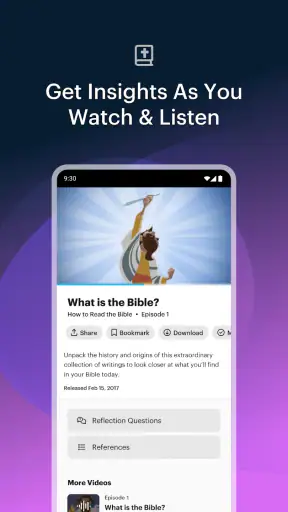
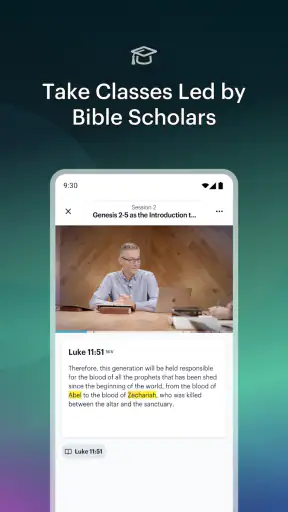
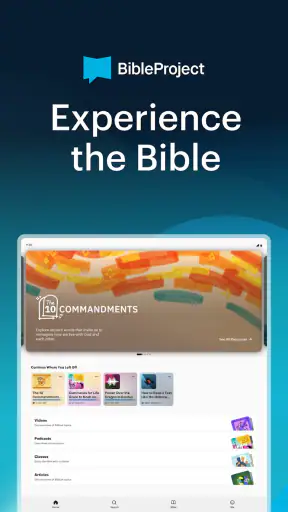
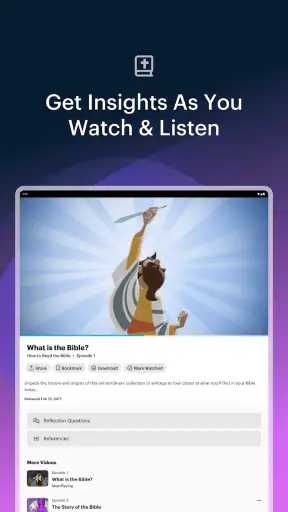
BibleProject is a Christian study and media app designed to help users understand the Bible through animated videos, podcasts, reading plans, articles, and other educational resources. It presents biblical books, themes, words, and historical context in an accessible way. The app is useful for personal study, group discussions, devotional routines, or anyone wanting a clearer overview of the Bible’s major ideas and narrative structure.
Is BibleProject free to download and use?
BibleProject can generally be downloaded and used without paying for access to its main collection of animated videos, Bible book overviews, podcasts, and many study resources. Some features or content may depend on the platform, region, or account setup, so it is worth checking the current in-app details before downloading. The project is supported primarily through donations rather than requiring a standard subscription for its core materials.
Does BibleProject include a complete Bible for reading?
BibleProject focuses mainly on helping users understand the Bible rather than replacing every dedicated Bible-reading app. Depending on the version and platform, it may provide reading plans, Scripture references, study content, or links to Bible passages, but the available translations and full-text access can vary. Users who want extensive offline reading, many translations, or advanced highlighting tools may still prefer a separate Bible app.
Is BibleProject suitable for beginners and younger users?
BibleProject is particularly approachable for beginners because its animated explanations use clear language, visual storytelling, and concise summaries of complicated biblical themes. Many videos are also suitable for families, students, and younger audiences, although parents should review content according to a child’s age and background. The app reflects a Christian perspective, so users should understand that its explanations are faith-based rather than purely academic or religiously neutral.
Does BibleProject require an internet connection?
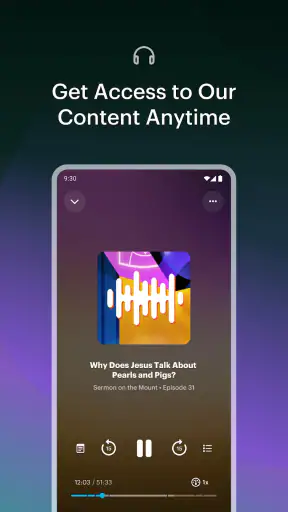
An internet connection is usually needed to stream videos, podcasts, and other media within BibleProject. Whether selected content can be downloaded for offline use depends on the app version and the specific resource, so users should not assume that every lesson or episode will remain available without connectivity. If you plan to study while traveling, check the download options in advance and save any supported materials before going offline.
Pros
- Clear animated videos make complex Bible themes easier to understand.
- Offers reading plans
- podcasts
- and study resources in one app.
- Strong focus on biblical context
- themes
- and literary structure.
- Many resources are available for free without requiring a subscription.
- Useful for both personal study and guided group discussions.
Cons
- Some theological interpretations may not match every Christian tradition.
- The large content library can feel overwhelming for new users.
- Most video and audio resources require an internet connection to stream.
- Advanced study tools may feel limited compared with dedicated Bible apps.
- Some content is available only in selected languages.